Create professional stage input lists in your browser. Add microphones, DIs, phantom power, positions, and stands — then export to PDF and Excel in seconds. No account needed.
You know the drill. Every tour starts with the same Excel file.
Formatting gets destroyed when someone opens your file on a different machine. Columns shift, fonts change, print layouts break. Every. Single. Time.
Excel doesn't know that your SD-Rack has 56 inputs or that your Stage64 uses AES50. You're manually counting channels and hoping you got it right.
Your input list lives in one file, your loom plan in another, your patch sheet in a third. Nothing is connected. Changes in one place don't update the others.
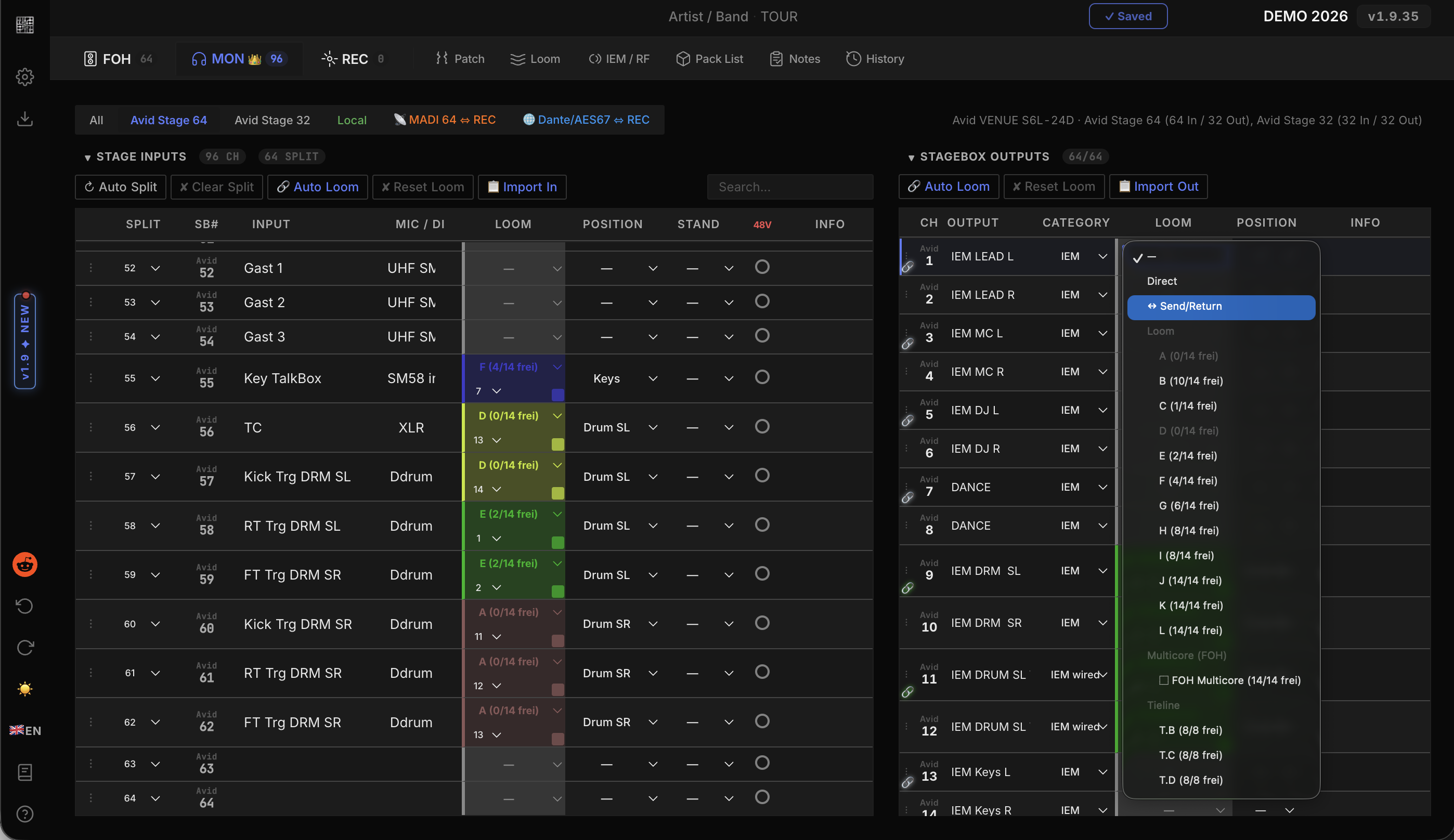
Input list, loom plan, stagebox assignment, tieline routing, and digital patch — all in one place. Change a mic on channel 7 and it updates everywhere.
Select your console and stageboxes from a database of real hardware. Channel counts, I/O configs, and digital protocols are pre-configured.
Generate print-ready PDF patch sheets and color-coded Excel workbooks with one click. Professional formatting, every time.
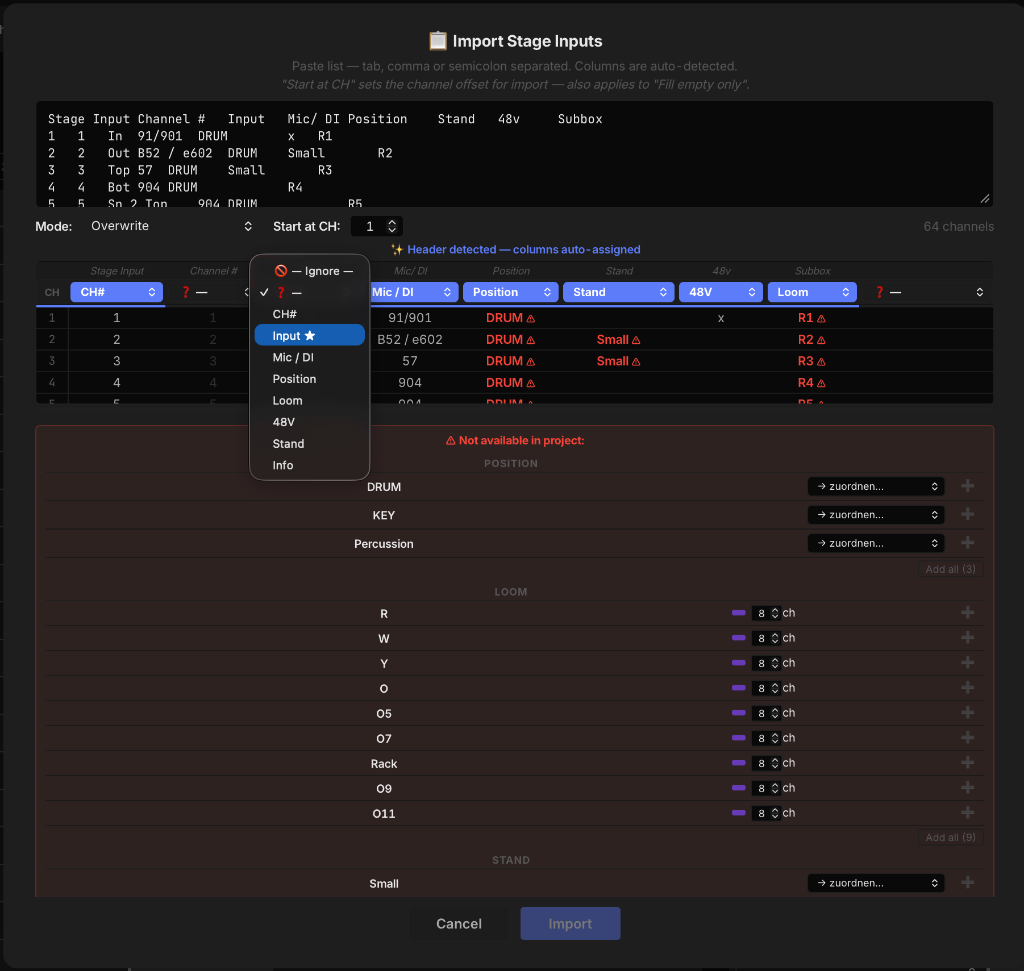
Copy your existing input list from Excel, Google Sheets, Numbers, or even a PDF. AUDIOPATCH auto-detects columns and maps them to the right fields.
Paste directly from any spreadsheet. Columns are recognized automatically.
Choose how imported data merges with your existing list.
Copy text from any document. AUDIOPATCH parses it intelligently.