Free Audio Patch Planner for Live Sound

AUDIOPATCH — Your Patch. Documented.

Stage input lists, multicore loom planning, tieline routing, IEM & RF — all in one free tool. Export professional PDF & Excel patch sheets in seconds.

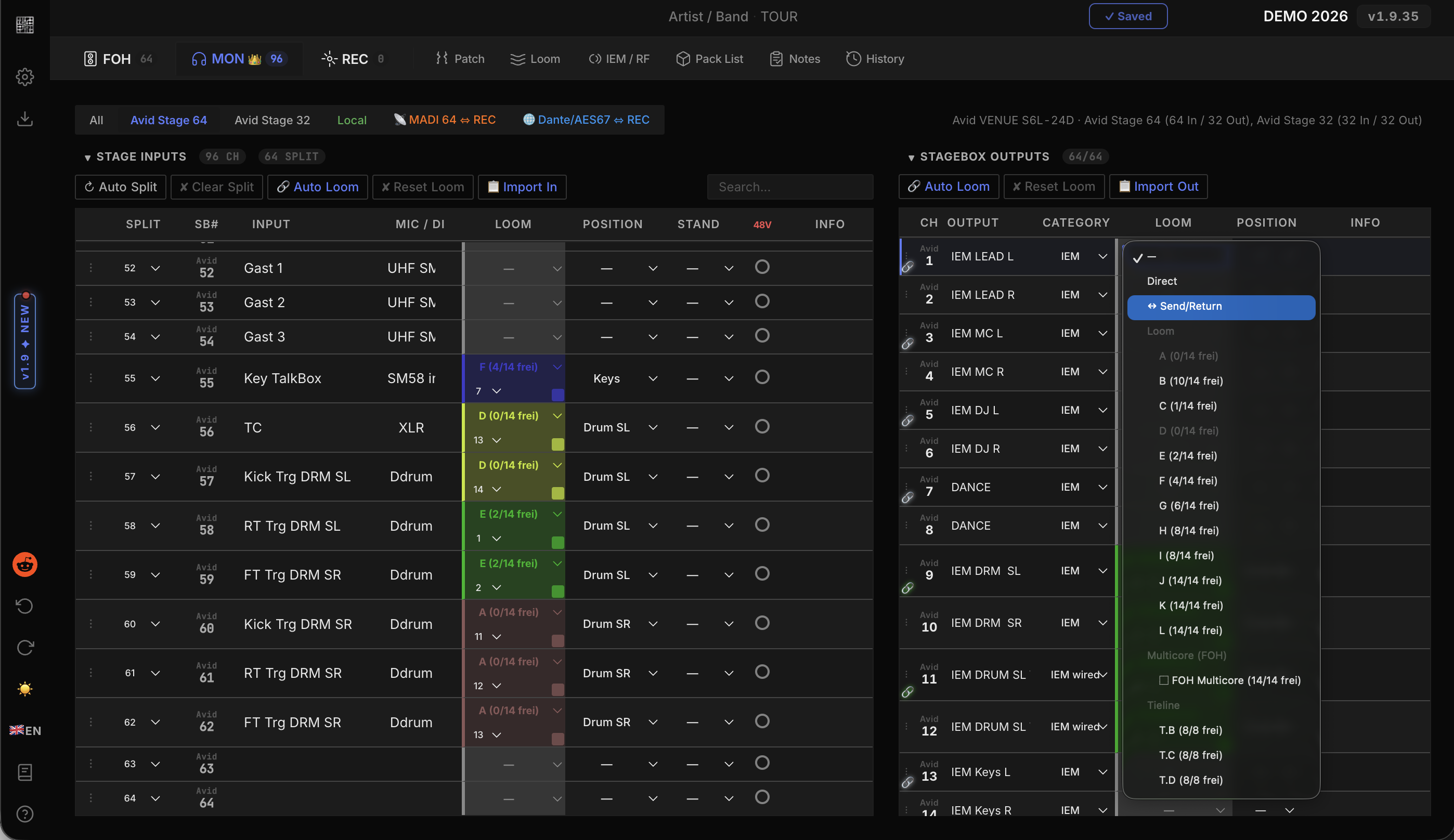
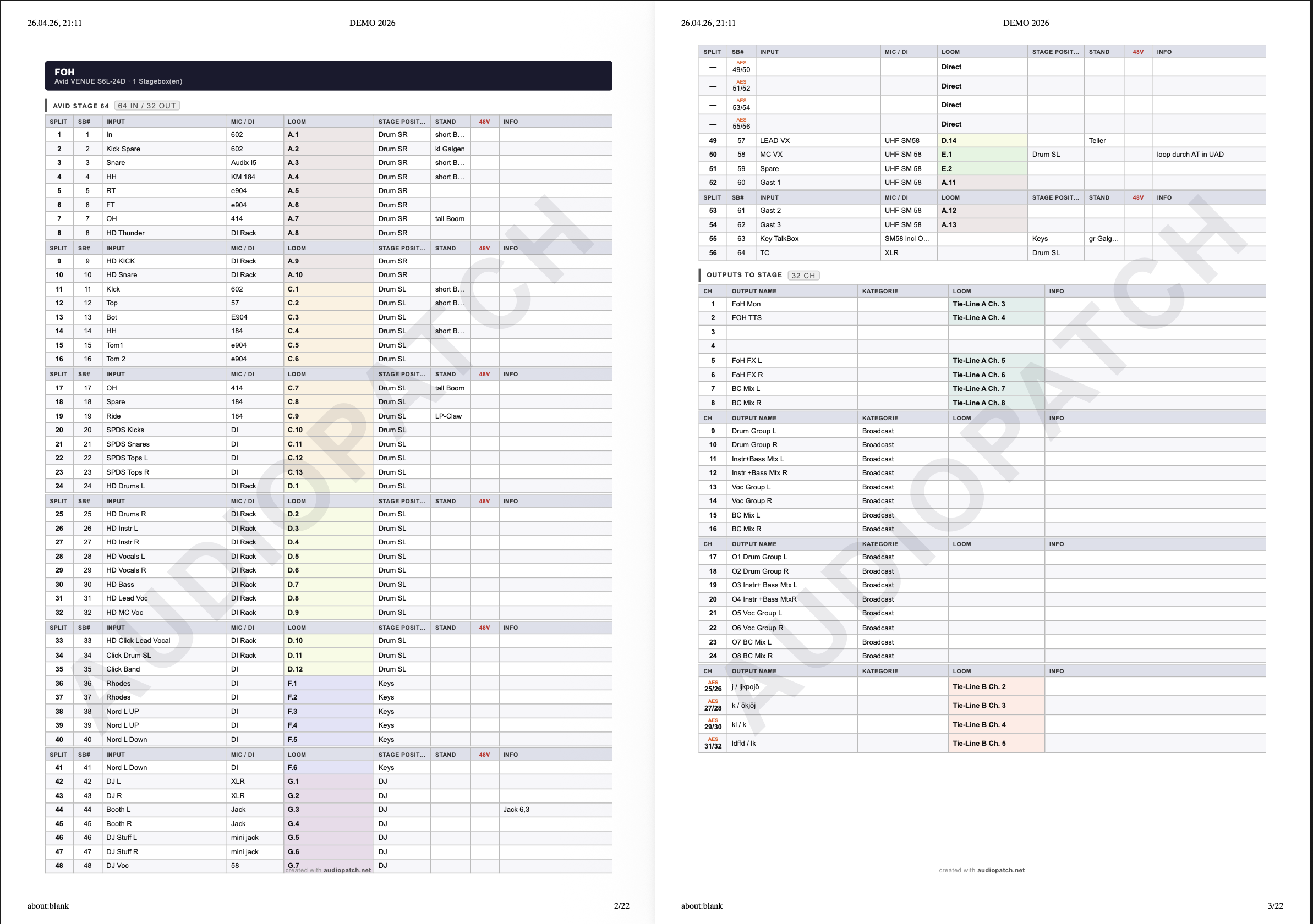
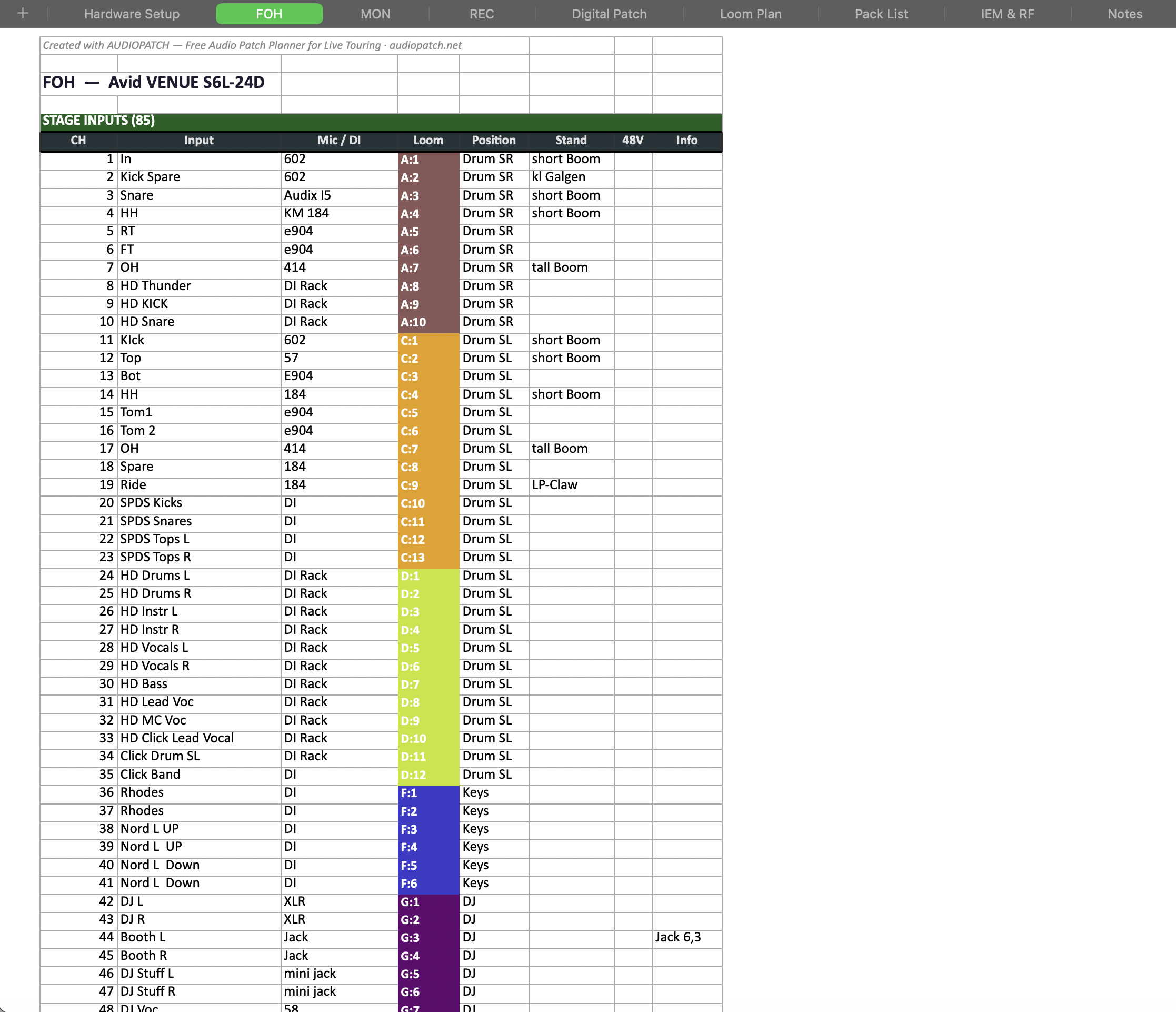
AUDIOPATCH — Stage Input List with Loom Assignments

Everything you need. Nothing you don't.

Built by a sound engineer, for sound engineers.

Hardware Setup

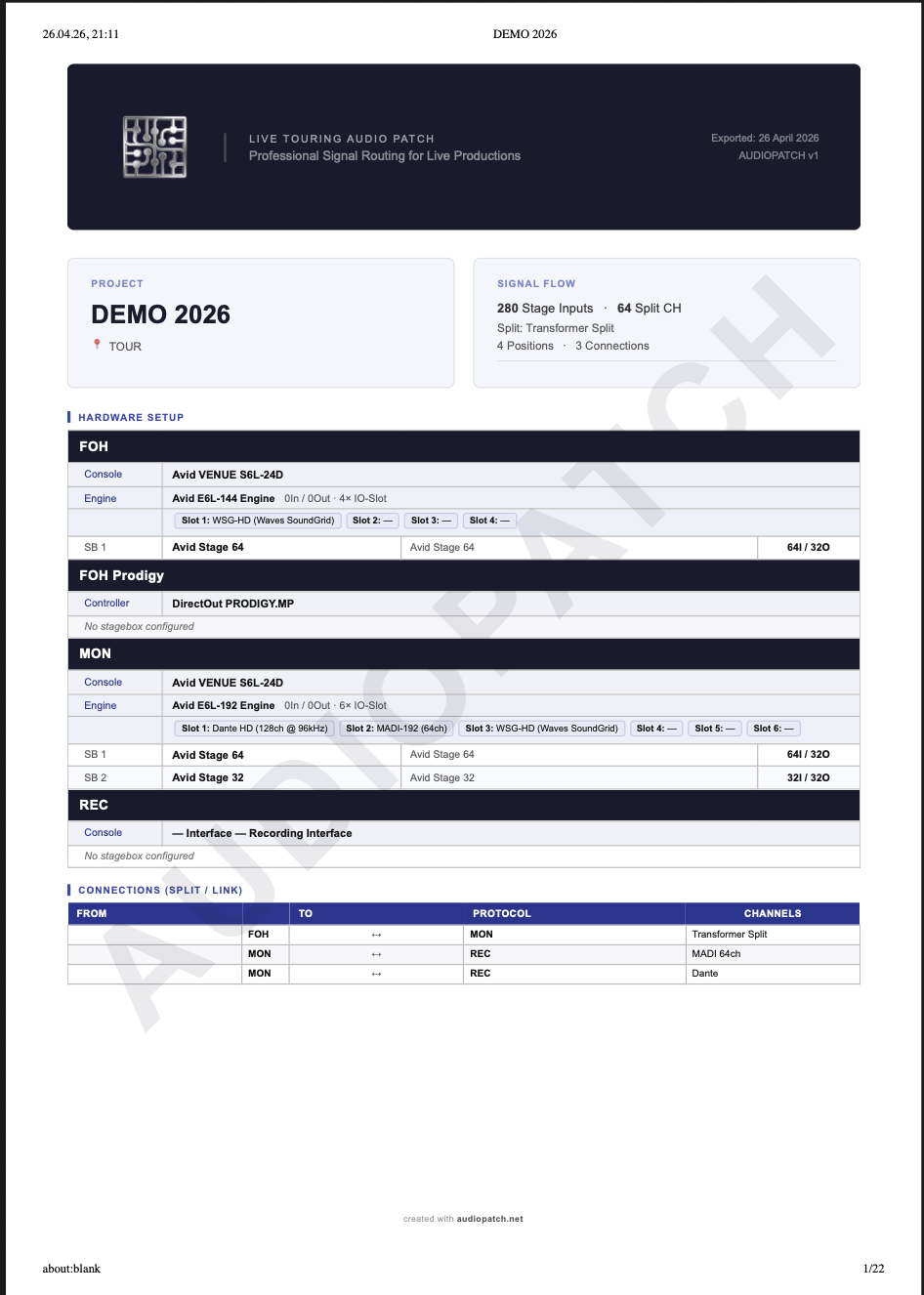
Define positions, select consoles from 142 verified devices, configure stageboxes with modular I/O cards, and set up split connections between FOH, MON, and REC.

Hardware Setup Modal

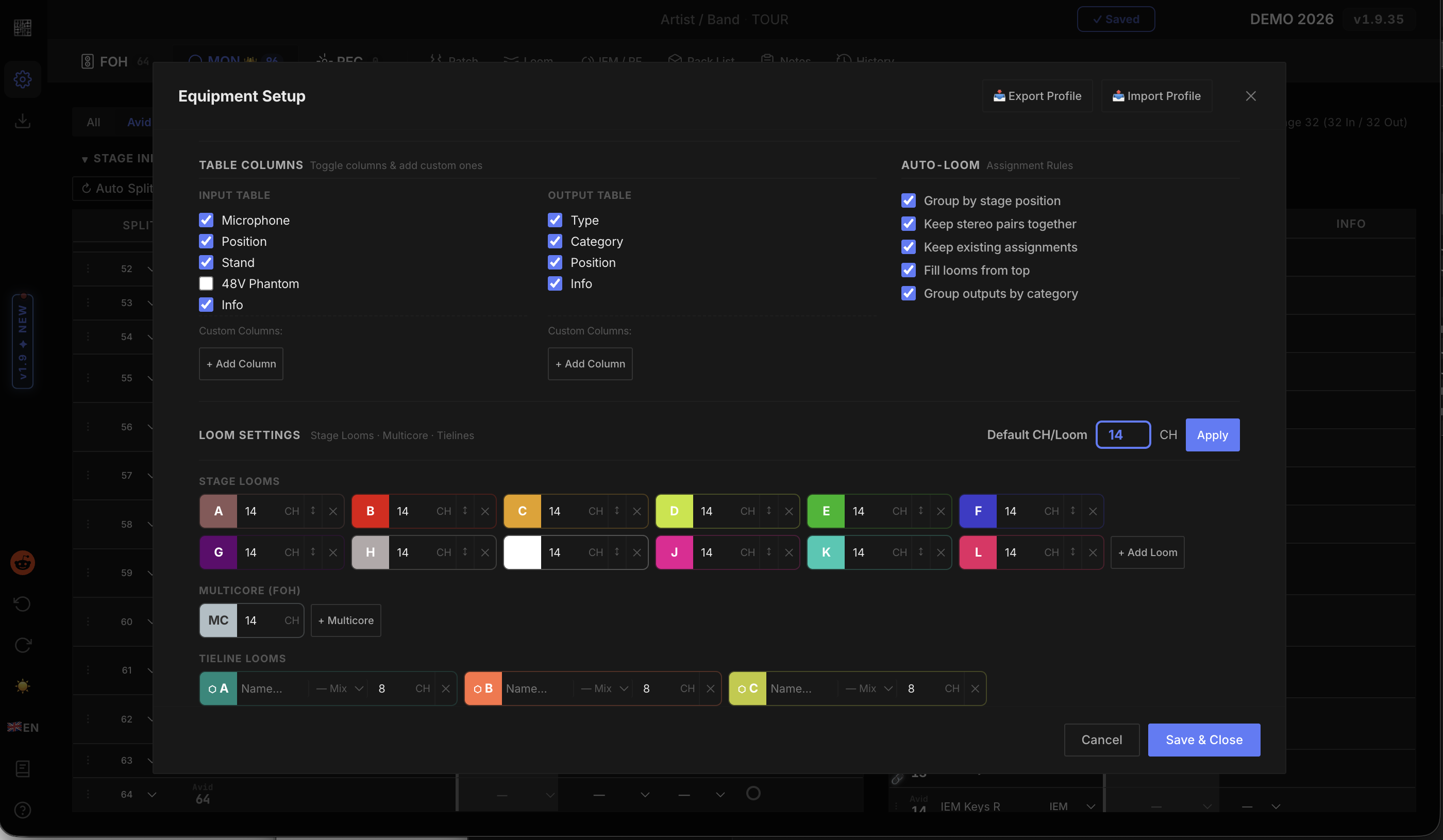
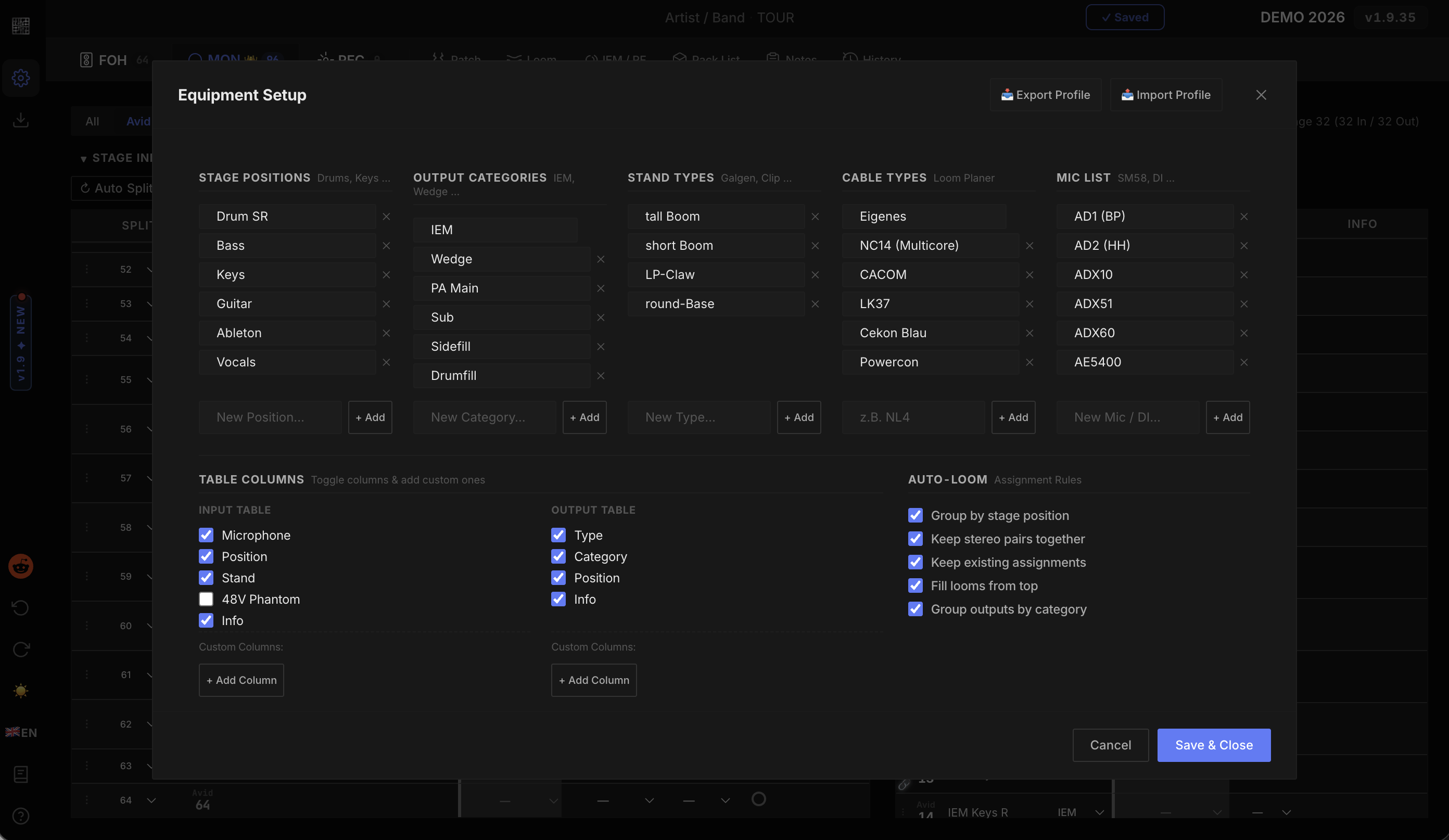
Equipment Setup

Configure stage positions, output categories, mic lists, stand types, Auto Loom rules, custom columns, and loom channel settings — all per project.

Equipment Setup

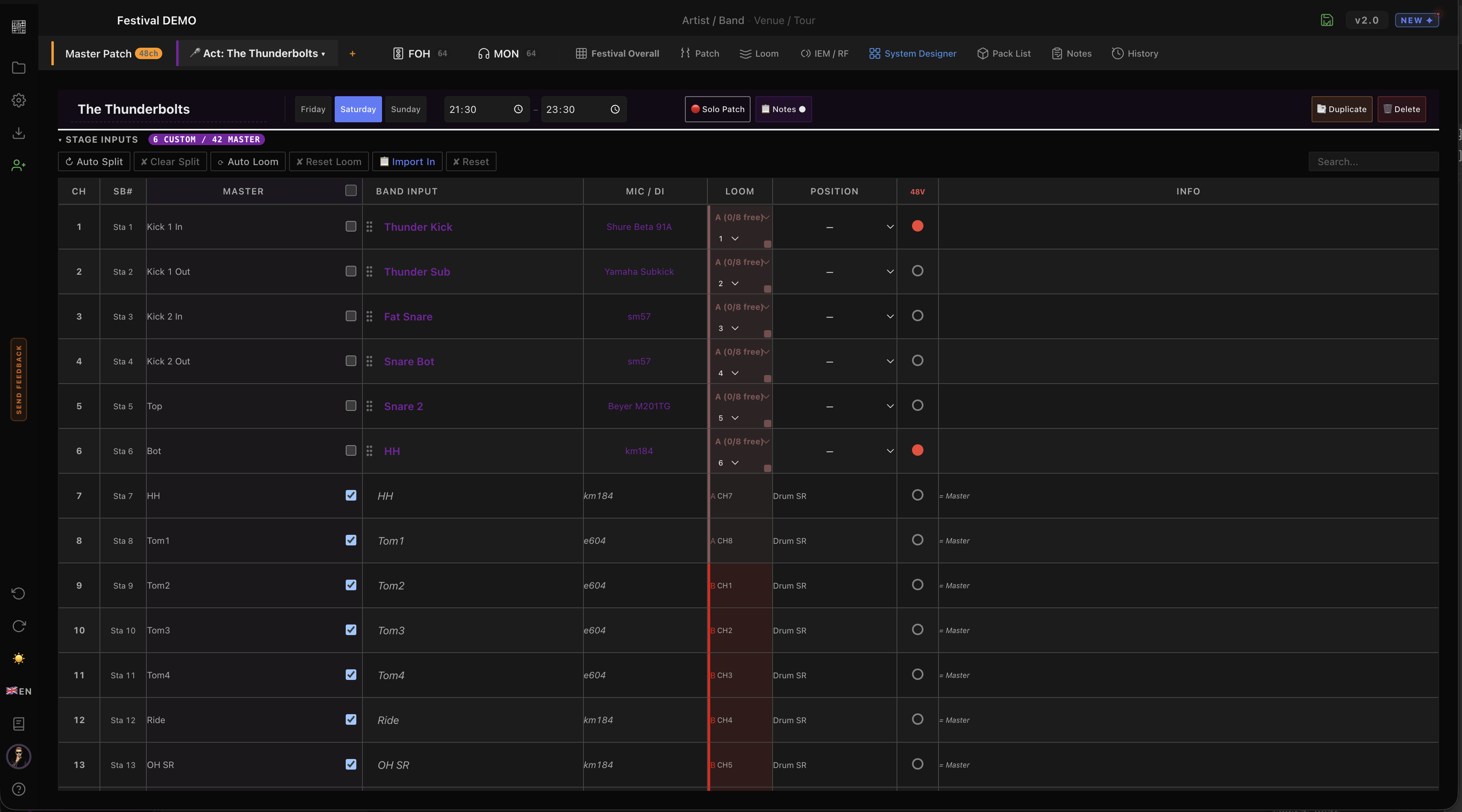
Stage Input List

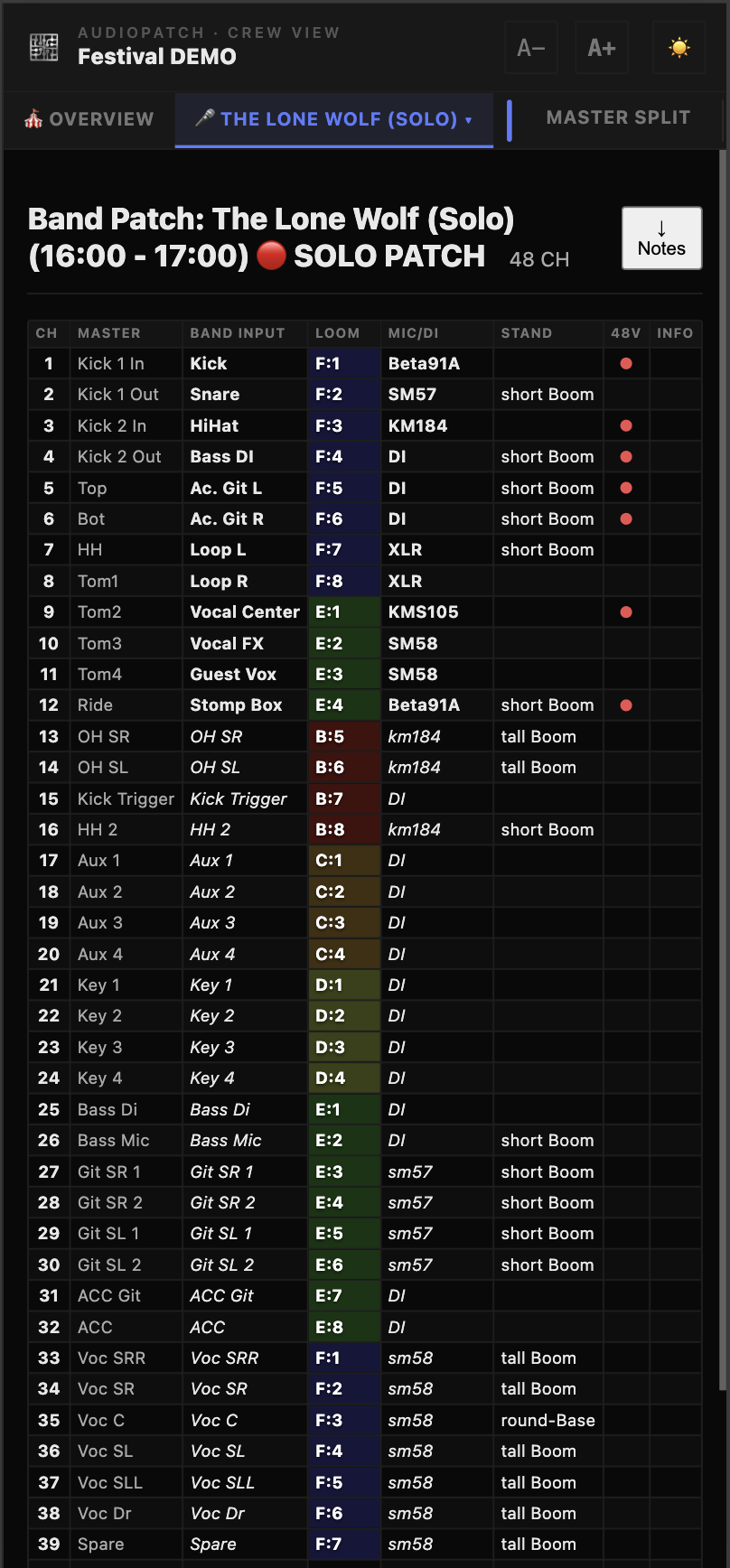
Channel-by-channel documentation. Mic/DI model, 48V phantom, position, stand type, loom assignment — for every source on stage.

Stage Input List

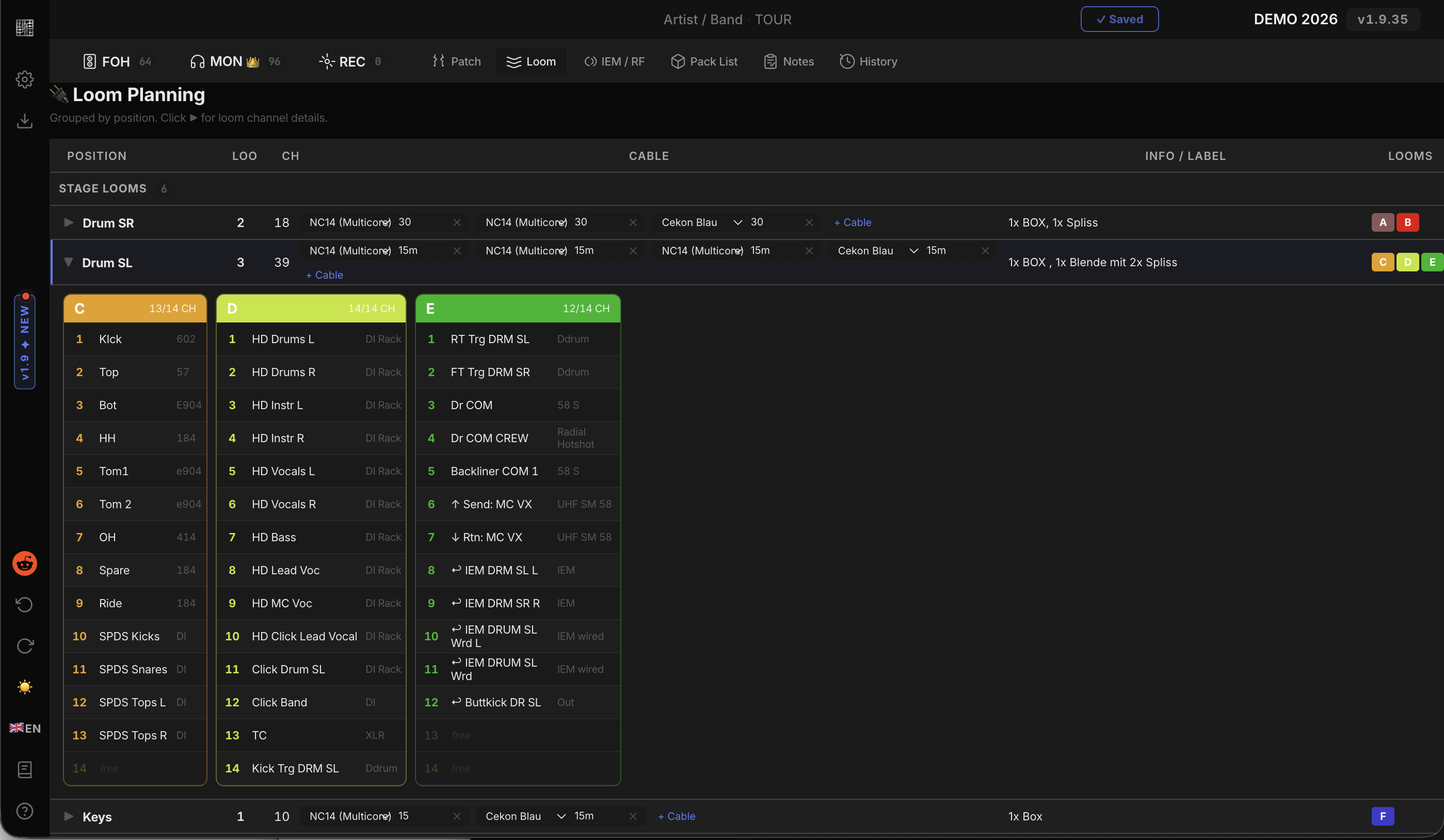
Loom Planning

Color-coded multicores with channel tracking. Define stage looms, assign channels, and see usage across all positions at a glance.

Loom Planning

Tieline Routing

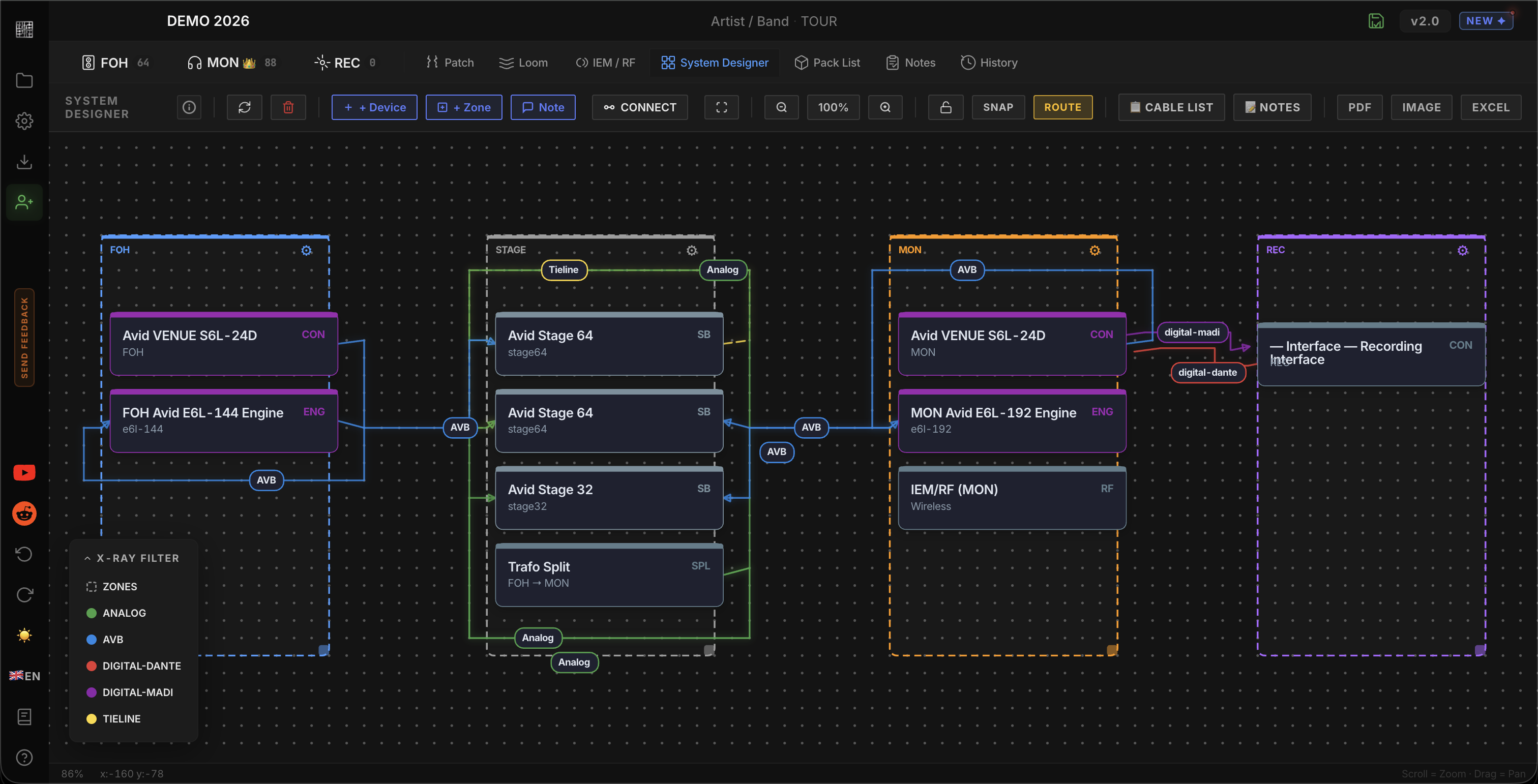
Route signals between positions (FOH ↔ MON ↔ REC). Define tieline looms with send/receive pairs and AES stereo auto-complete.

Tieline Routing

IEM & RF Planning

Manage IEM packs (PSM 1000, Stereo/Mono), UHF transmitters, receivers and capsule assignments. Per-system channel overview.

IEM and RF Planning
Smart Import

Your existing lists. Inside AudioPatch in seconds.

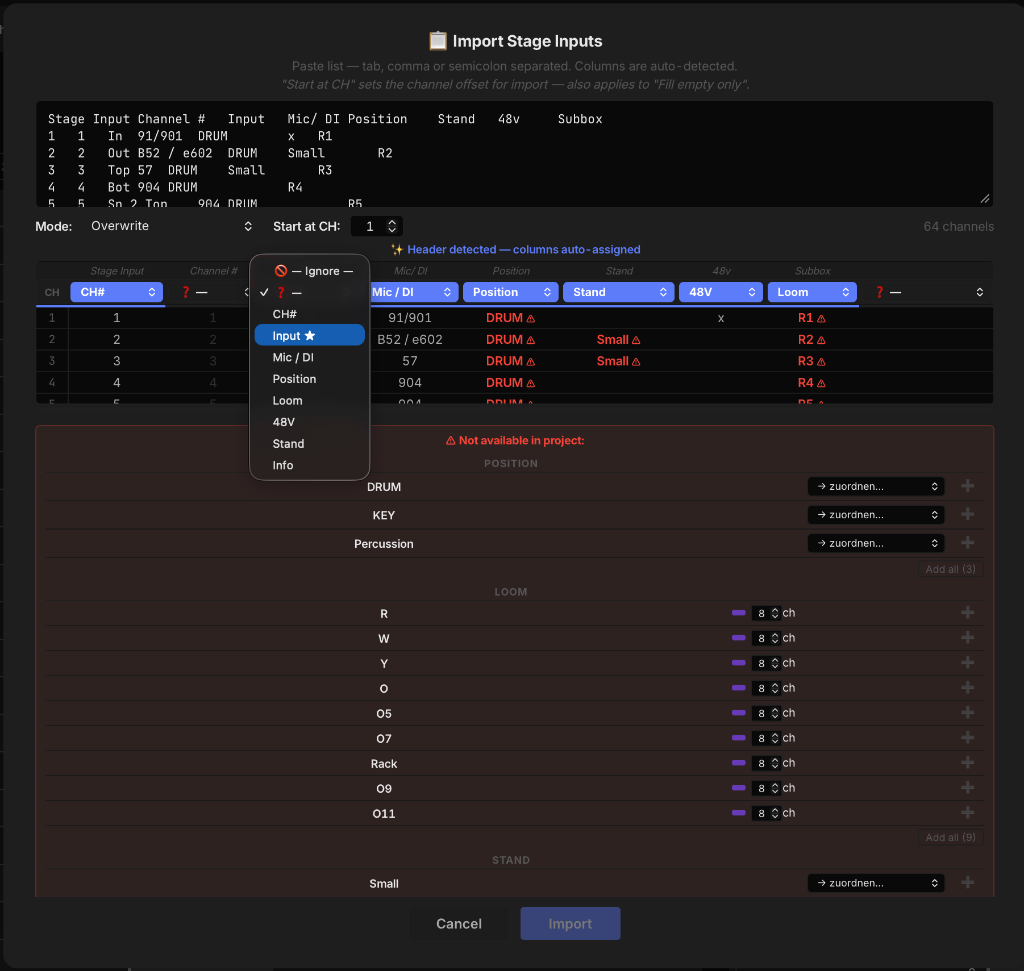
Copy & paste from Excel, Numbers, Google Sheets, PDF, or Word. Columns are auto-detected, values validated, and everything merged into your project. Works for Stage Inputs, Outputs, Local I/O, Slots, and Band — 6 import types.

Paste from anywhere

Tab, comma, or semicolon separated — detected automatically.

Auto Column Detection

Input, Mic/DI, Position, Loom, 48V, Stand — recognized and mapped instantly.

Live Validation

Unknown positions, looms, and stands are flagged red before import.

Add to Project on the fly

Add missing positions, looms (with color & channel count) directly in the import dialog.

Value Mapping

"DRUM" → "Drums" — map unknown values to existing project entries via dropdown.

Combined Loom & Channel

"F-1", "A.12", "MC1-3" — auto-split into loom name and channel number.

Flexible Merge Modes

Overwrite, fill empty, or start at any channel. All 6 import types supported.

Try the Smart Import →
Smart Import — Paste your input list, auto-detect columns, validate and merge

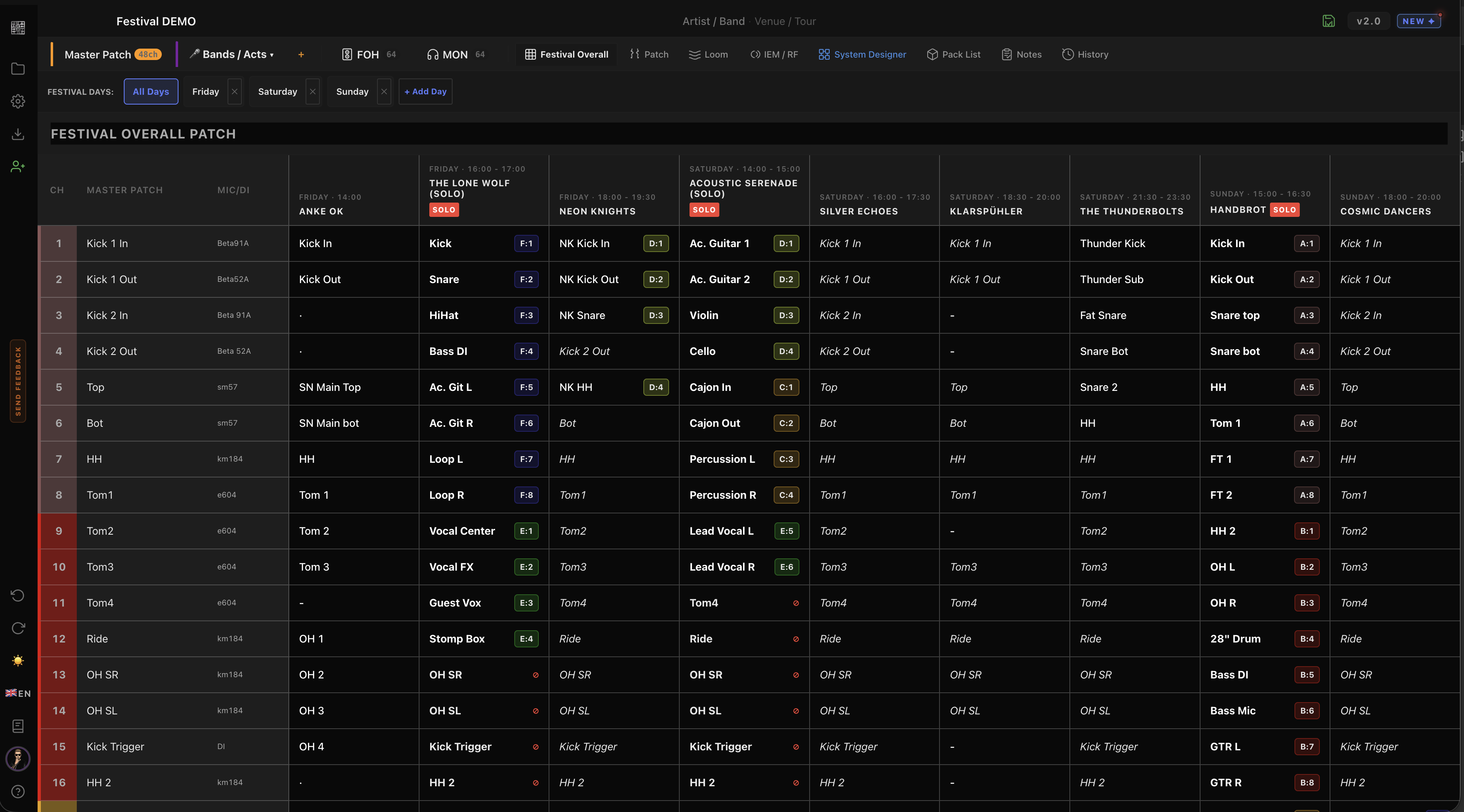
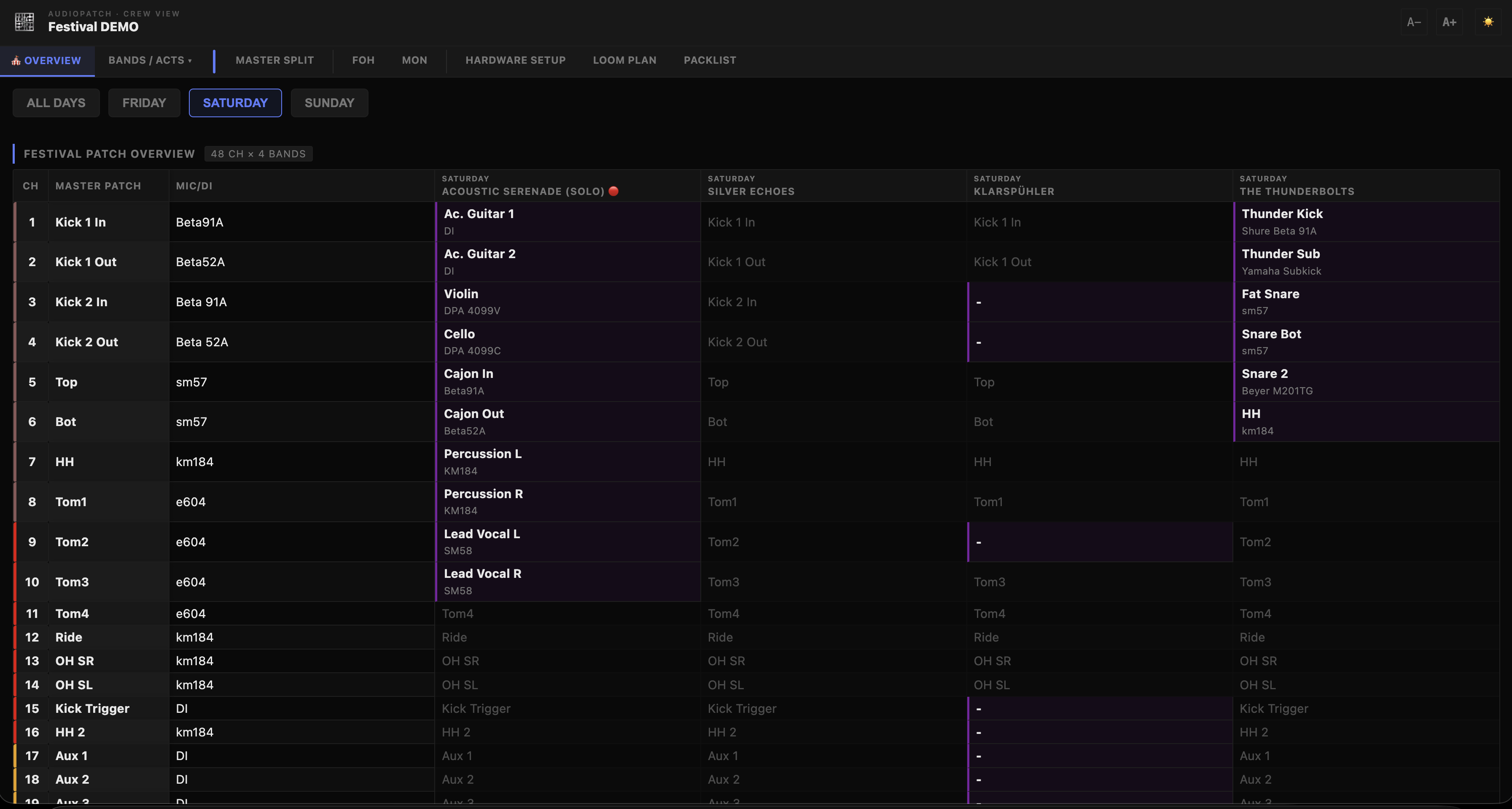
See the whole picture.

Click any hotspot to learn more.

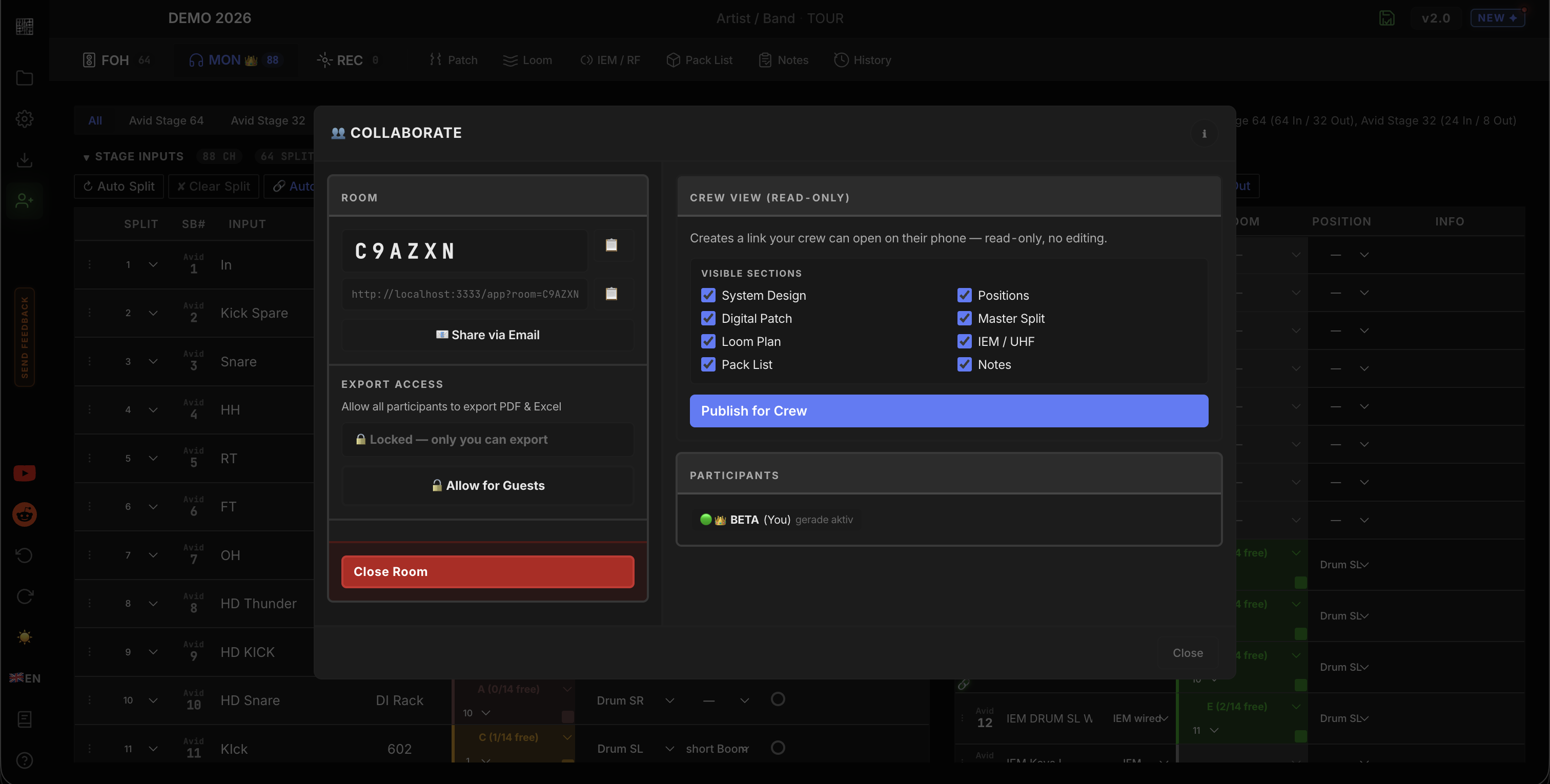
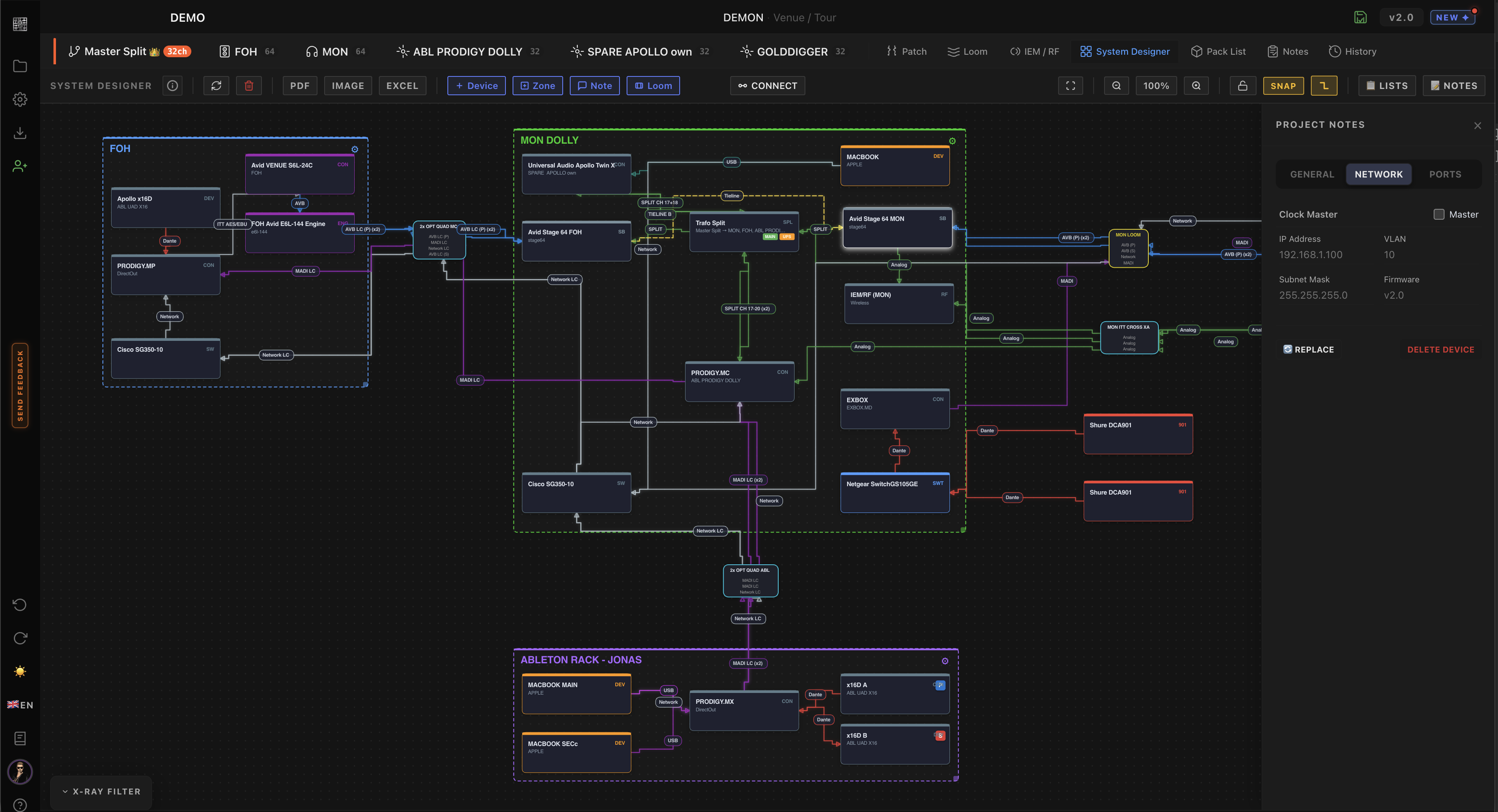
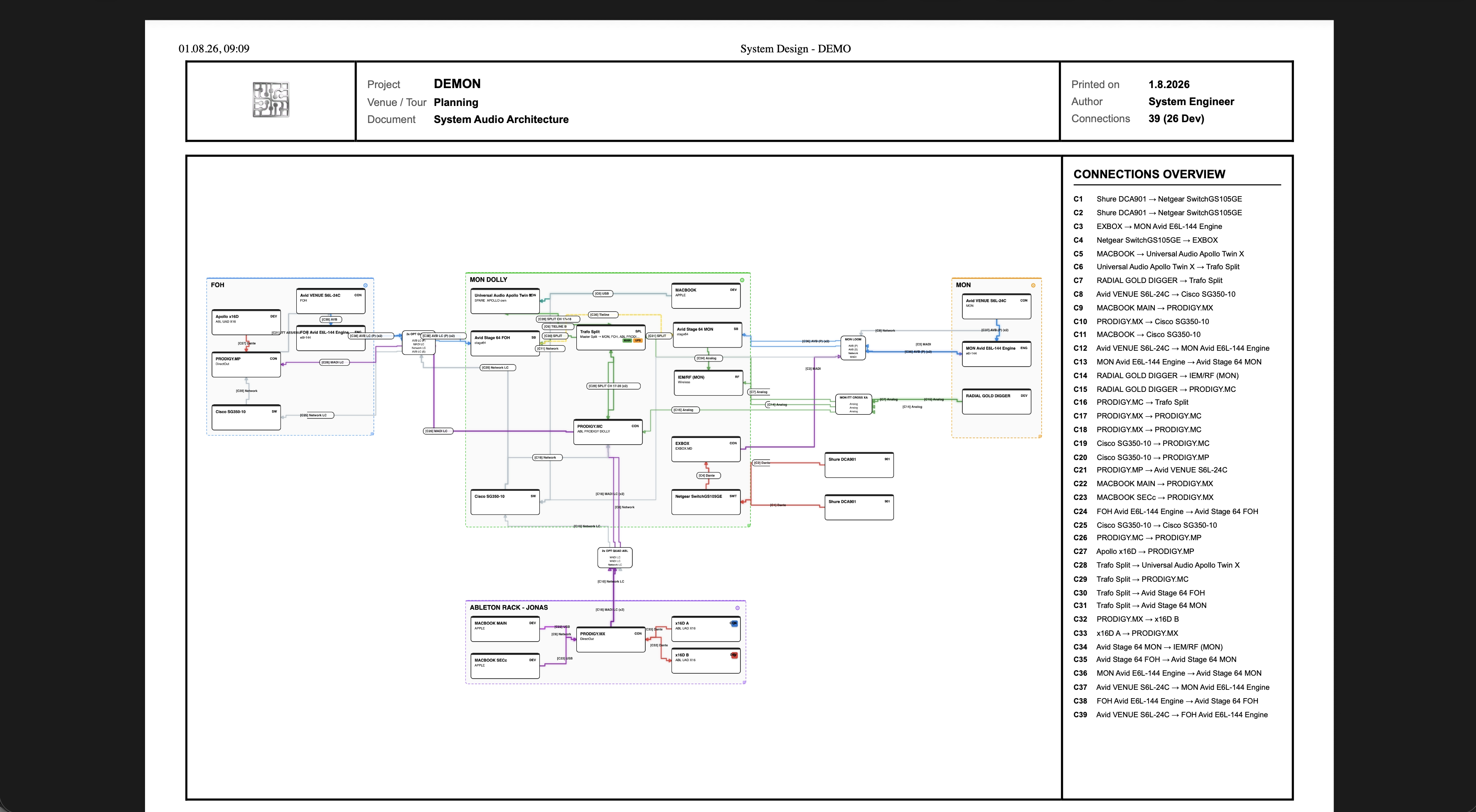
AUDIOPATCH main view

Supported Devices — 142 verified consoles, stageboxes & controllers.

Plan for DiGiCo SD/Quantum, Avid VENUE S6L, Yamaha RIVAGE/CL/QL, Allen & Heath dLive/Avantis/SQ, SSL Live, Midas Heritage D/M32, and 49 controllers from XTA, Meyer Sound, Lake, DirectOut, Focusrite, and Universal Audio. Integrated hardware database with stagebox I/O and microphone autocomplete.

DiGiCo SD/Quantum Avid VENUE S6L Yamaha RIVAGE/CL/QL Allen & Heath dLive SSL Live Midas M32 Soundcraft Vi XTA DirectOut Meyer Sound Focusrite Lake Universal Audio Shure (300+ Mics) Sennheiser DPA
This is NOT a stage plot app.

Stage plot apps show where things go on stage.
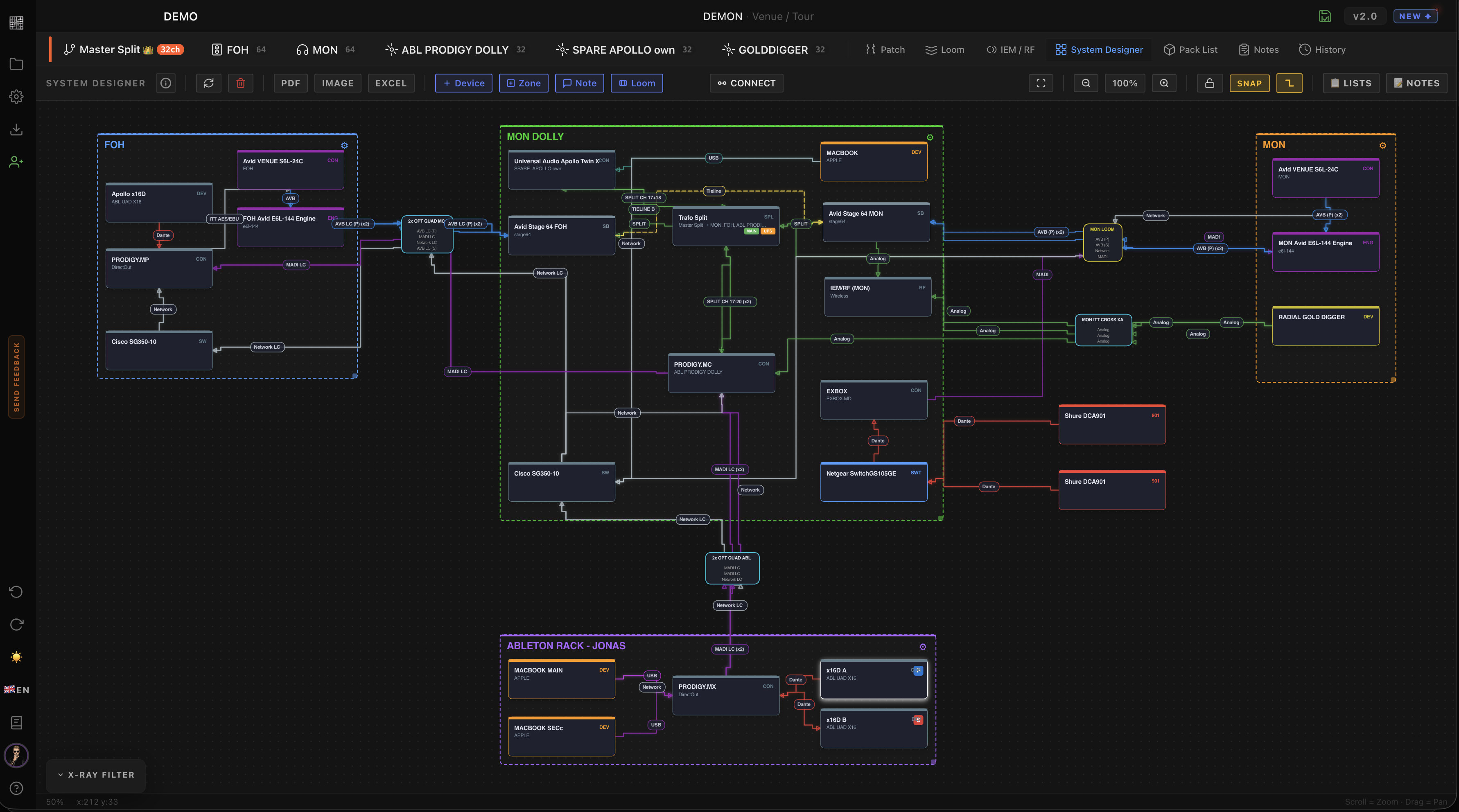
AUDIOPATCH documents how they're connected — the digital signal flow, the multicore loom cables, the Dante/MADI/AES67 routing.

Automated Input Lists · Multicore & Loom Planning · Tieline Routing · Digital Patch Management · FOH & Monitor Split · Professional PDF & Excel Export

From blank project to PDF in 4 steps.

1

Equipment Setup

Define positions, consoles & stageboxes

Step 1
2

Configure Looms

Create stage looms, tieline looms & multicores

Step 2
3

Build your Patch

Add inputs, assign looms, use Auto Loom

Step 3
4

Export

PDF patch sheets & Excel workbooks

Step 4

Frequently Asked Questions

Is AUDIOPATCH really free?
Yes, AUDIOPATCH is completely free. All features are unlocked, no account required, no trial period. Your data stays in your browser.
Do I need an account?
No. AUDIOPATCH works entirely in your browser with no login required. Your projects are saved locally. You can export and import project files to share with colleagues.
Which consoles are supported?
AUDIOPATCH supports 142 verified devices including DiGiCo (SD, Quantum), Avid (VENUE S6L), Yamaha (RIVAGE, CL, QL, TF), Allen & Heath (dLive, Avantis, SQ), SSL (Live), Midas (Heritage D, M32), Soundcraft (Vi), plus 49 controllers from XTA, Meyer Sound, Lake, DirectOut, Focusrite, Universal Audio, and more.
What is a loom in live sound?
A loom (also called multicore or snake) is a bundled cable that carries multiple audio channels between stage and the mixing position. AUDIOPATCH lets you define looms, assign channels, and track usage across all positions.
Can I export to PDF and Excel?
Yes. AUDIOPATCH generates professional PDF patch sheets with hardware setup, stage input lists, stagebox outputs, loom assignments, tieline routing, and pack lists. Excel exports include color-coded loom plans and per-position sheets.
Does it work offline?
Yes. As a PWA, AUDIOPATCH works fully offline after the first visit. All data is stored locally in your browser. No internet connection needed for planning, editing, or exporting.

What's New

Ready to plan your next show?

Start Planning — It's Free

No account. No login. Works offline. Your data stays in your browser.

Help & Feedback

Have a question, found a bug, or want to suggest a feature?
Send us an email — we respond to every message.

📧 [email protected]